Engineering
6 min
The WMS knows what to print but not how. Adapting labels per client usually means a multi-month IT project. There's a faster way: a programmable pipeline.
zplflow team
Jun 19, 2026
Your WMS knows what to print. It does not know how.
It knows the order number, the carrier, the destination country, the SKU, the lot number. It outputs a ZPL template , usually one template per client, hardcoded, owned by whoever wrote it three years ago.
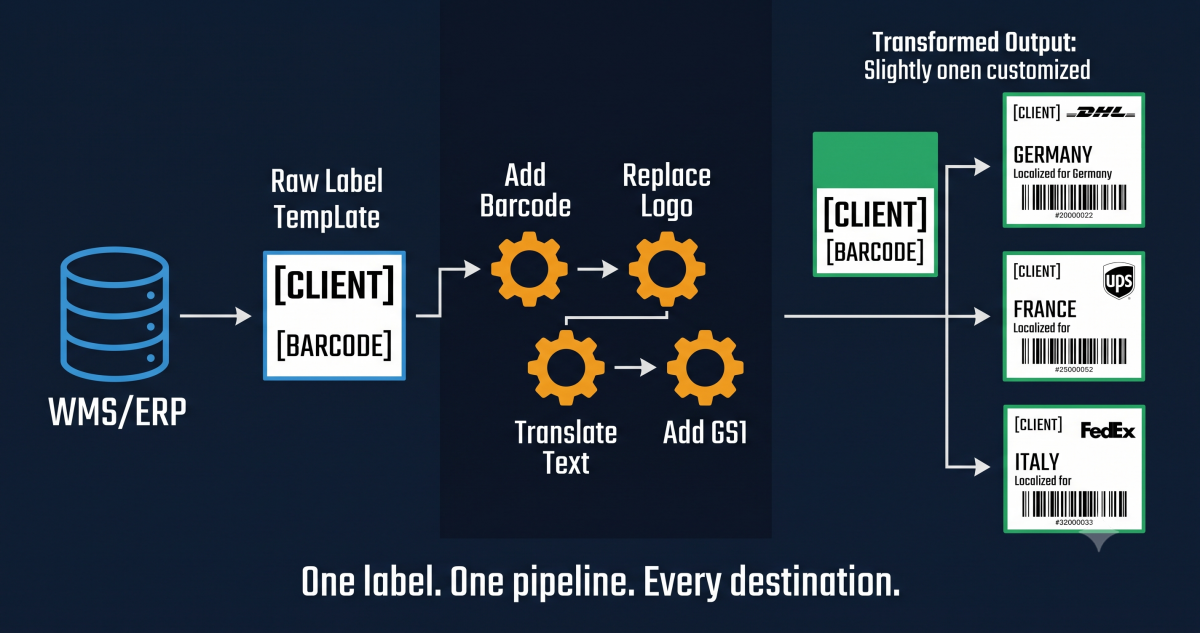
Then reality intervenes. The client changes the carrier and the routing code is wrong. Amazon wants FNSKU on a separate line. The German client needs GS1-128 with AI (01) and (10). The Italian client wants their logo. The Spanish carrier requires a 10mm margin. The pharmaceutical client needs a UDI Data Matrix in a different position.
If every one of those changes is a WMS modification, you are looking at a six-month IT project, a change request, a regression test, and a deployment window. And then the next client asks for something else.
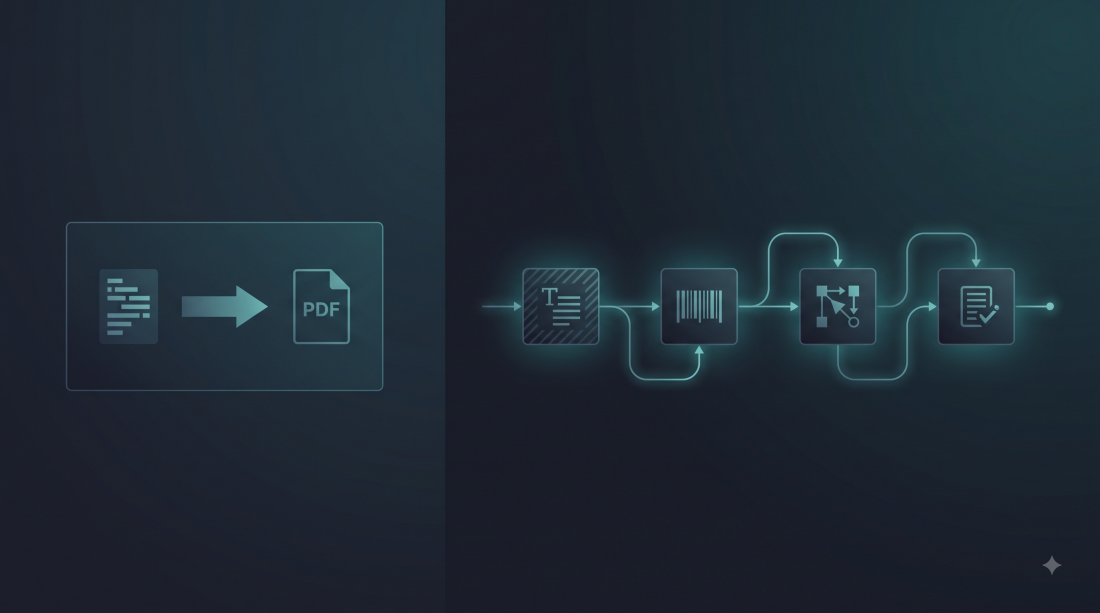
The fix is architectural. The WMS keeps doing what it does best: produce a base ZPL stream with the right data. A separate system, the pipeline, takes that stream and applies the transformations the specific client, carrier, or destination requires. The WMS does not change. The client integrations do not change. The transformations live in a versioned, testable, programmable pipeline that operations can edit without filing a ticket.
This is what zplflow’s pipeline engine does. Twenty-four programmable transformers, synchronous and asynchronous, token-metered like every other endpoint.
The transformers fall into three families, each priced differently:
DOM steps (16, covered by the 1-token base quota). Text replacement, barcode insertion, QR codes, Data Matrix, GS1-128 with proper AI encoding, font changes, date formatting, regex replacement, drawing primitives, print parameter overrides, label dimension overrides, timestamp insertion. They touch the ZPL source directly, no rendering required.
Heavy steps (6, +3 tokens each). Rotation, scaling, cropping, mirroring, margin addition, image embedding. These require a full render round-trip because the visual result depends on pixel-level math, not source text.
Logic steps (2). conditional for branching on variable values, repeat for copy counts. Cost is recursive , they sum the cost of the steps they contain.
A European 3PL needs to take the base ZPL from the WMS, add a GS1-128 with the order number, replace the placeholder carrier code, and stamp a serial number barcode. Three DOM steps, all in the base quota:
# Step 1: define the pipeline once
curl -X POST https://api.zplflow.io/v1/pipelines \
  -H "Authorization: Bearer lb_your_key" \
  -H "Idempotency-Key: setup-pipeline-eu-001" \
  -H "Content-Type: application/json" \
  -d '{
    "name": "eu-3pl-shipping-label",
    "steps": [
      { "type": "add_gs1_128", "x": 100, "y": 200, "height": 60, "ai_01": "{{order_id}}", "ai_10": "{{lot_number}}" },
      { "type": "replace_text", "search": "{{CARRIER}}", "replace": "{{carrier_code}}" },
      { "type": "add_barcode", "barcode_type": "code128", "x": 100, "y": 400, "height": 50, "value": "{{serial}}" }
    ]
  }'

# Response: { "id": "9f3c1d2a-...", "name": "eu-3pl-shipping-label" }
Then, per label, the WMS calls apply with the dynamic values:
# Step 2: apply per label, with dynamic variables
curl -X POST https://api.zplflow.io/v1/pipelines/9f3c1d2a-.../apply \
  -H "Authorization: Bearer lb_your_key" \
  -H "Idempotency-Key: order-2026-06-19-99812" \
  -H "Content-Type: application/json" \
  -d '{
    "documents": [
      {
        "zpl_base64": "XlhBeF0ACj4wX0A...base64-of-base-zpl...",
        "variables": {
          "order_id": "ORD-99812",
          "lot_number": "LOT-2026-06-19-A",
          "carrier_code": "DHL-EU-EXPRESS",
          "serial": "SN-441002"
        }
      }
    ]
  }'

# Response: transformed ZPL in base64, ready for the Zebra
A pure-DOM pipeline costs 1 token per document, regardless of how many DOM steps you stack. A pipeline with one rotation costs 4 tokens (1 base + 3 heavy). You see the cost before you call, not after the invoice. On the Lite plan (€9/month, 15,000 tokens) that is 15,000 DOM-only transformations a month.
The account manager configures the pipeline in the admin UI, tests it on a few real labels, and hands the pipeline ID to IT. IT wires the pipeline ID into the WMS integration. That is the entire project. The next time a client asks for a layout change, operations edits the pipeline. IT is not involved.
The WMS does not know that GS1-128 exists. The WMS does not need to. The pipeline knows, and the pipeline is the system designed to know.
zplflow is label infrastructure for 3PLs. 24 programmable transformers, token-metered, versioned, testable. Convert PDF to ZPL, transform labels with programmable pipelines, print on any Zebra.
Tags